Projects

This page highlights some of my personal projects.

Knowledge ecosystem

Live and growing
Slide 1, title slide: Knowledge ecosystem. Growing documentation into skills. A young plant grows from brown soil while drops of water fall on it.
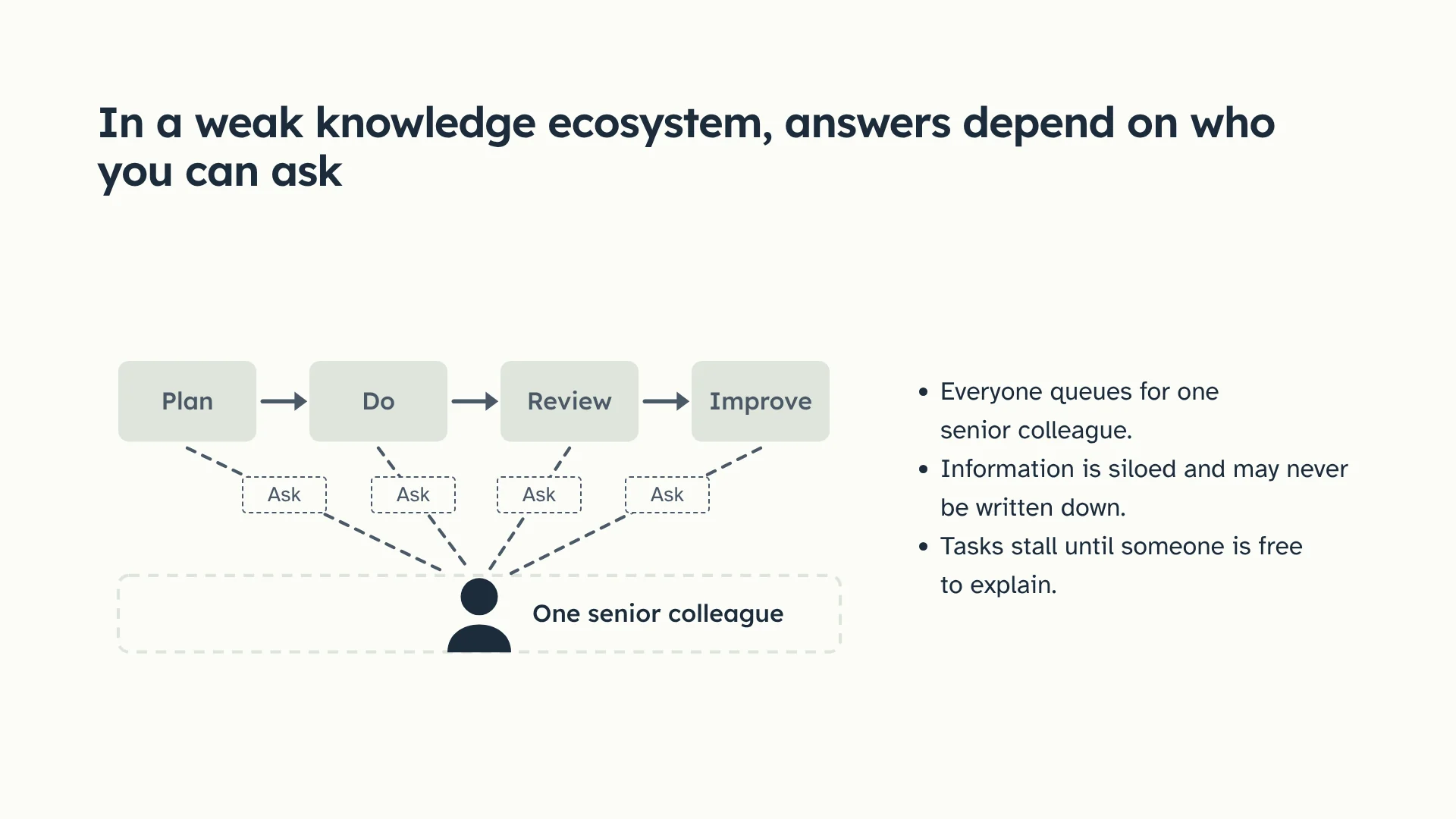
Slide 2: In a weak knowledge ecosystem, answers depend on who you can ask. A diagram shows four steps of work, Plan, Do, Review and Improve, each with a dashed Ask line to one senior colleague. A dashed empty box marks where a shared knowledge base should be. Everyone queues for one senior colleague. Information is siloed and may never be written down. Tasks stall until someone is free to explain.
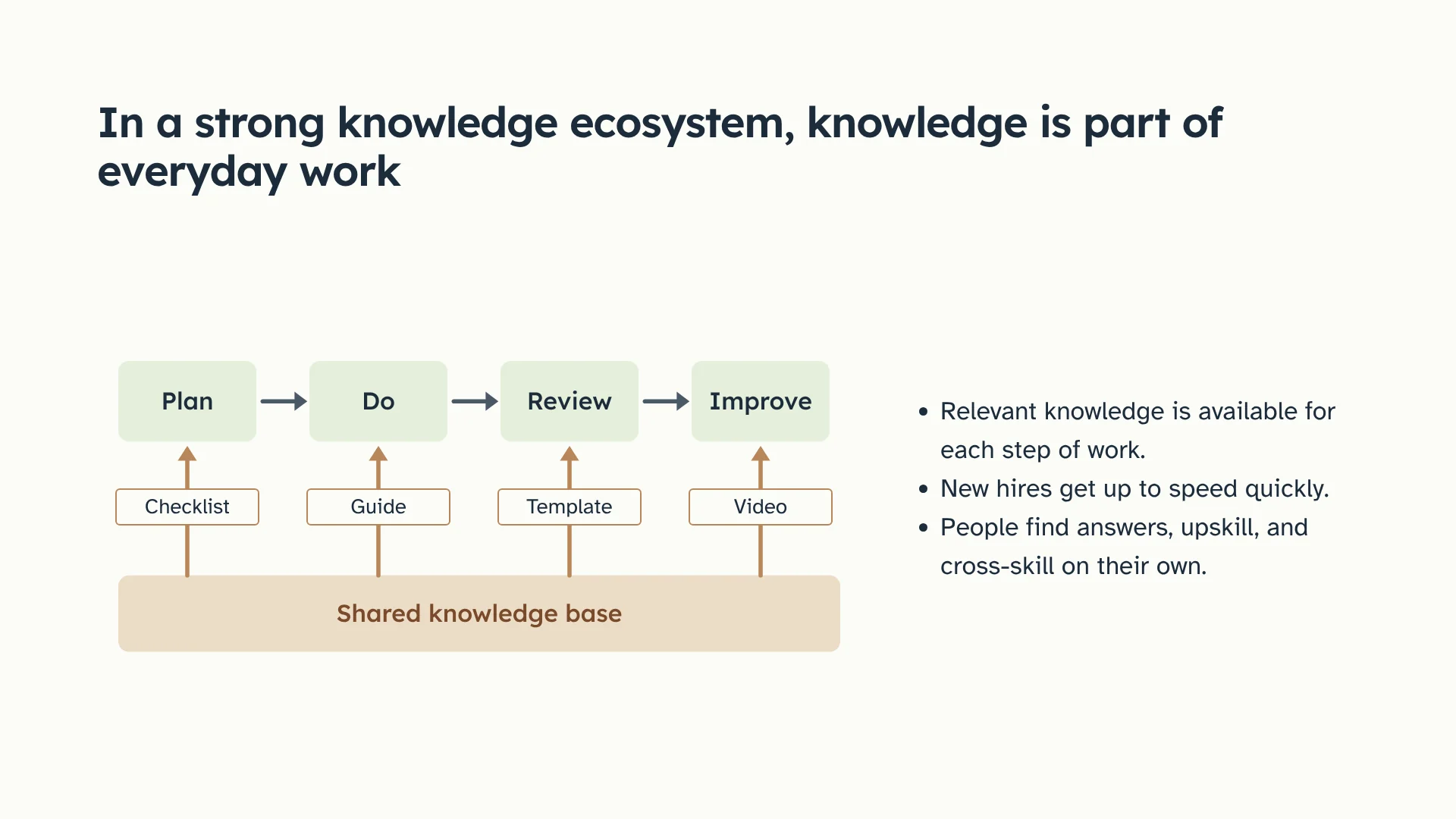
Slide 3: In a strong knowledge ecosystem, knowledge is part of everyday work. The same four steps, Plan, Do, Review and Improve, each draw on a checklist, guide, template or video from one shared knowledge base. Relevant knowledge is available for each step of work. New hires get up to speed quickly. People find answers, upskill, and cross-skill on their own.
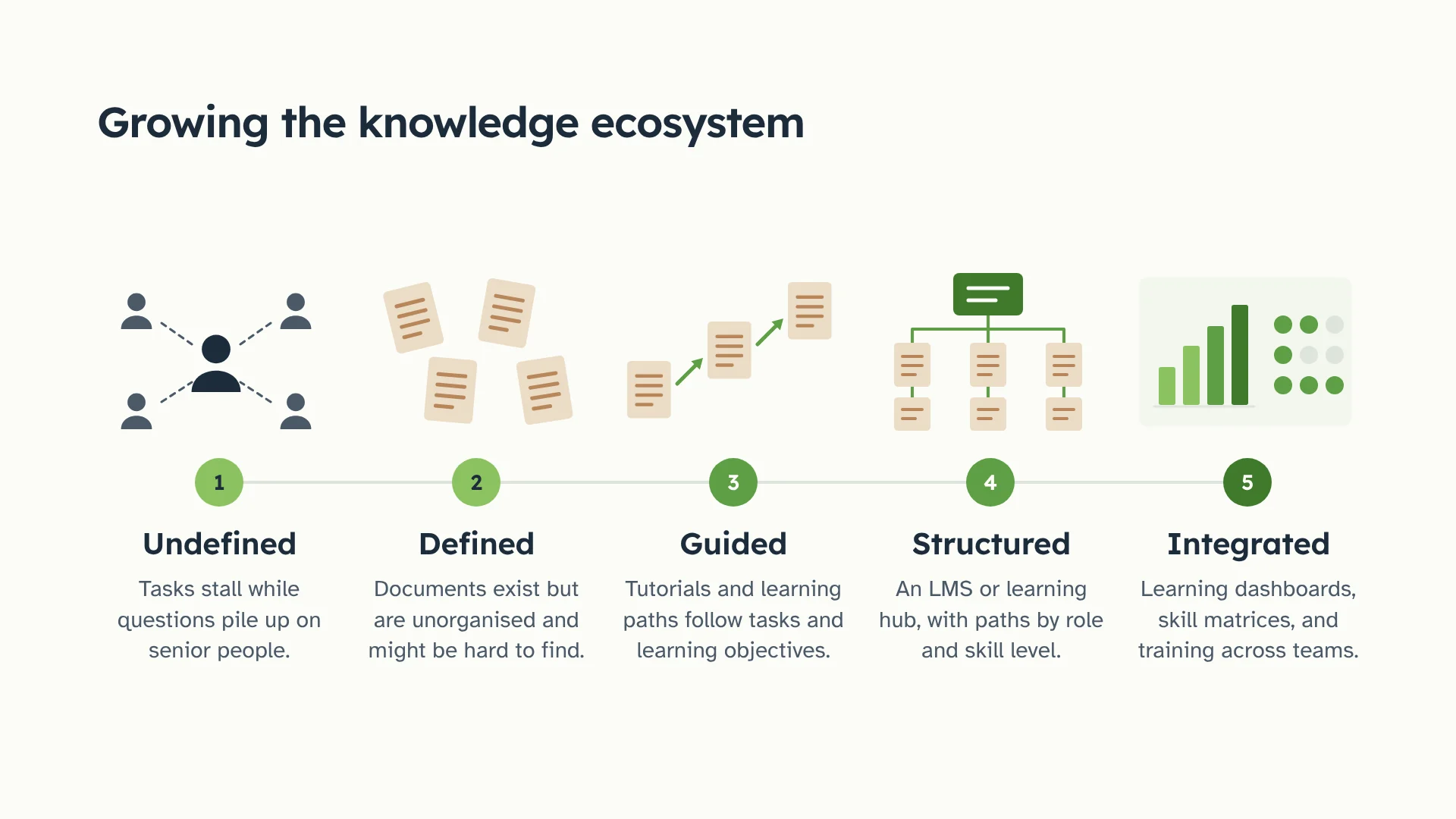
Slide 4: Growing the knowledge ecosystem. Five numbered levels on a timeline. 1, Undefined: tasks stall while questions pile up on senior people. 2, Defined: documents exist but are unorganised and might be hard to find. 3, Guided: tutorials and learning paths follow tasks and learning objectives. 4, Structured: an LMS or learning hub, with paths by role and skill level. 5, Integrated: learning dashboards, skill matrices, and training across teams.
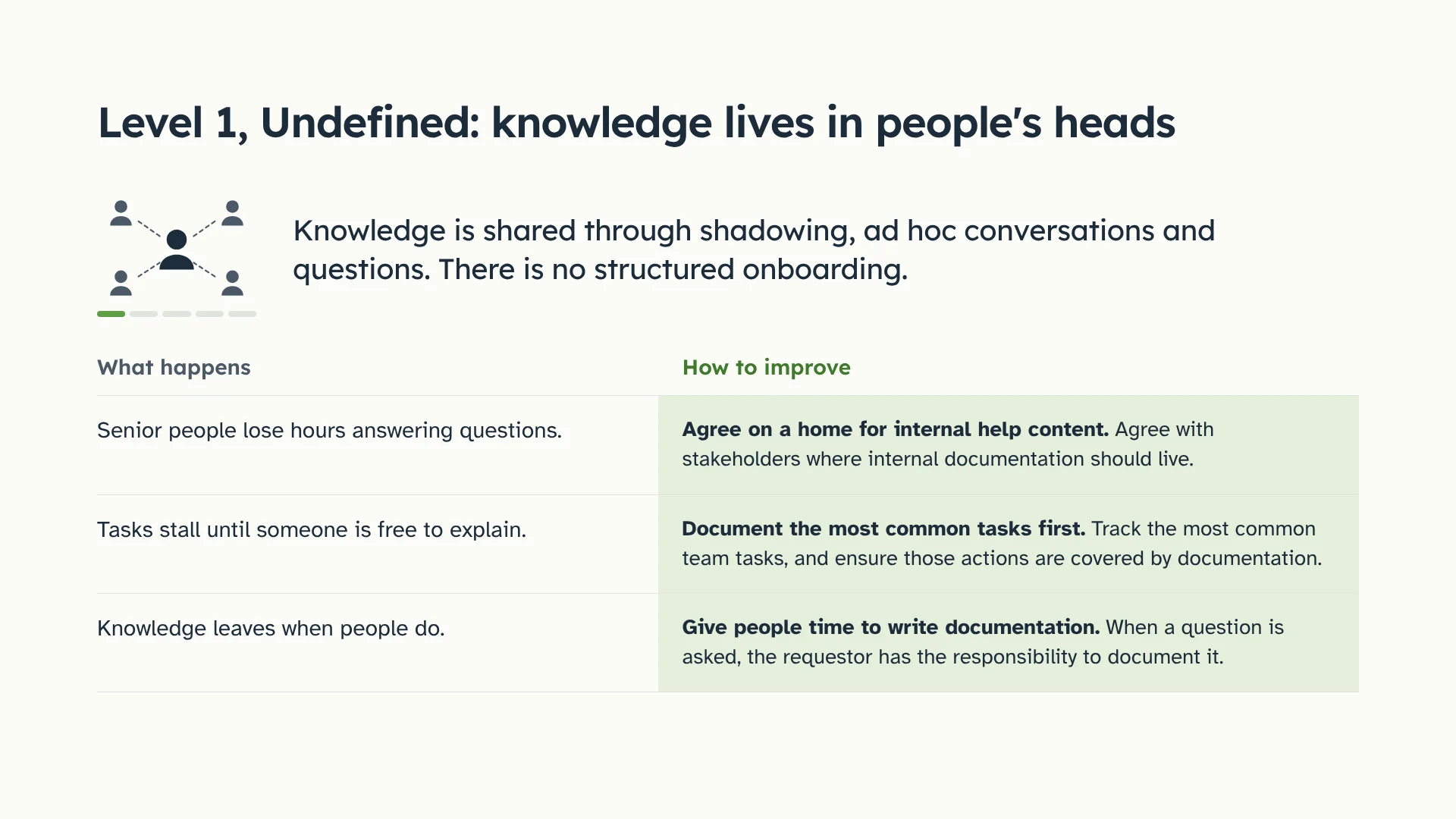
Slide 5: Level 1, Undefined: knowledge lives in people's heads. Knowledge is shared through shadowing, ad hoc conversations and questions. There is no structured onboarding. A table pairs what happens with how to improve. Senior people lose hours answering questions: agree on a home for internal help content. Tasks stall until someone is free to explain: document the most common tasks first. Knowledge leaves when people do: give people time to write documentation, and when a question is asked, the requestor has the responsibility to document it.
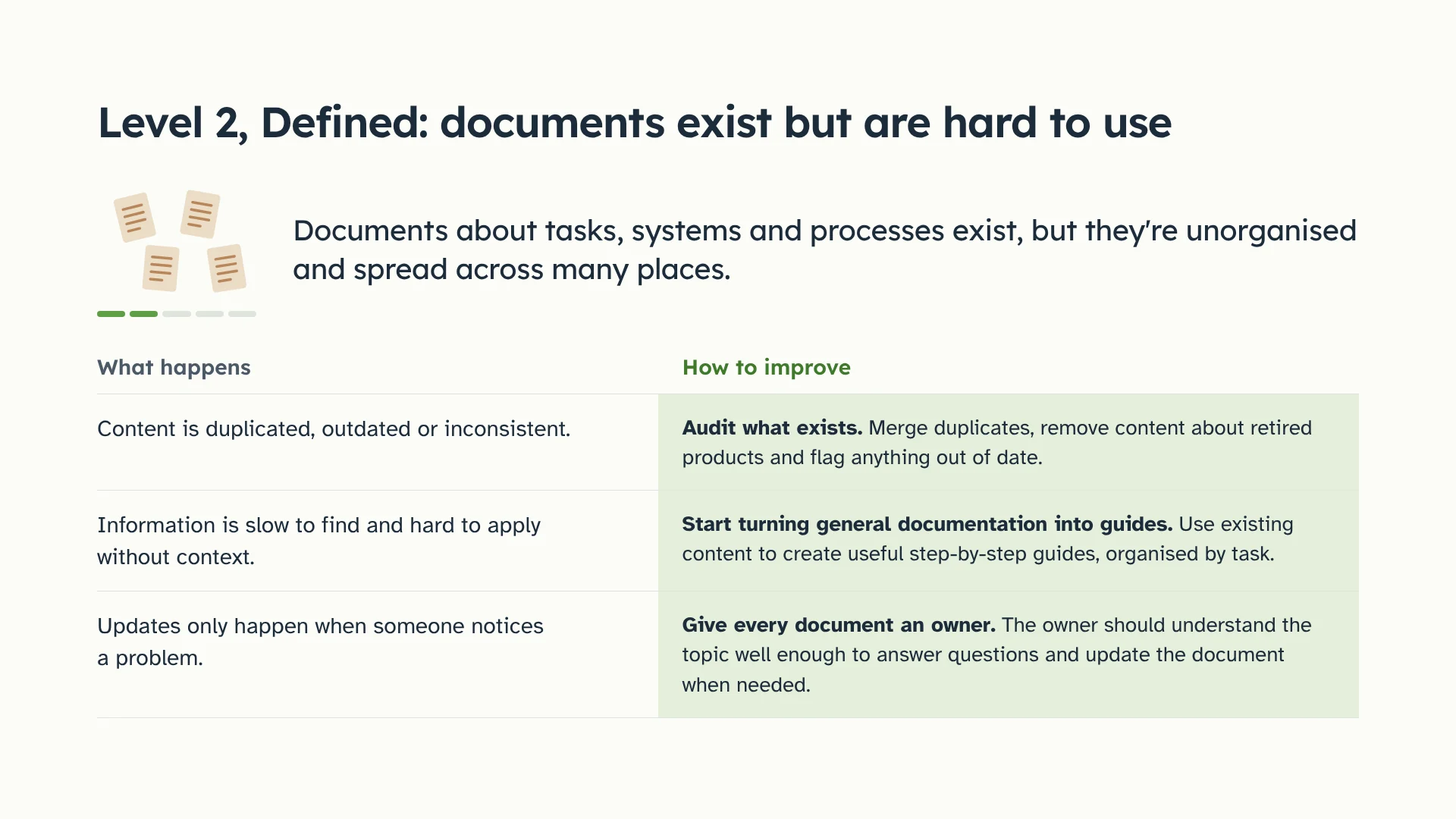
Slide 6: Level 2, Defined: documents exist but are hard to use. Documents about tasks, systems and processes exist, but they're unorganised and spread across many places. A table pairs what happens with how to improve. Content is duplicated, outdated or inconsistent: audit what exists, merge duplicates and flag anything out of date. Information is slow to find and hard to apply without context: start turning general documentation into step-by-step guides, organised by task. Updates only happen when someone notices a problem: give every document an owner.
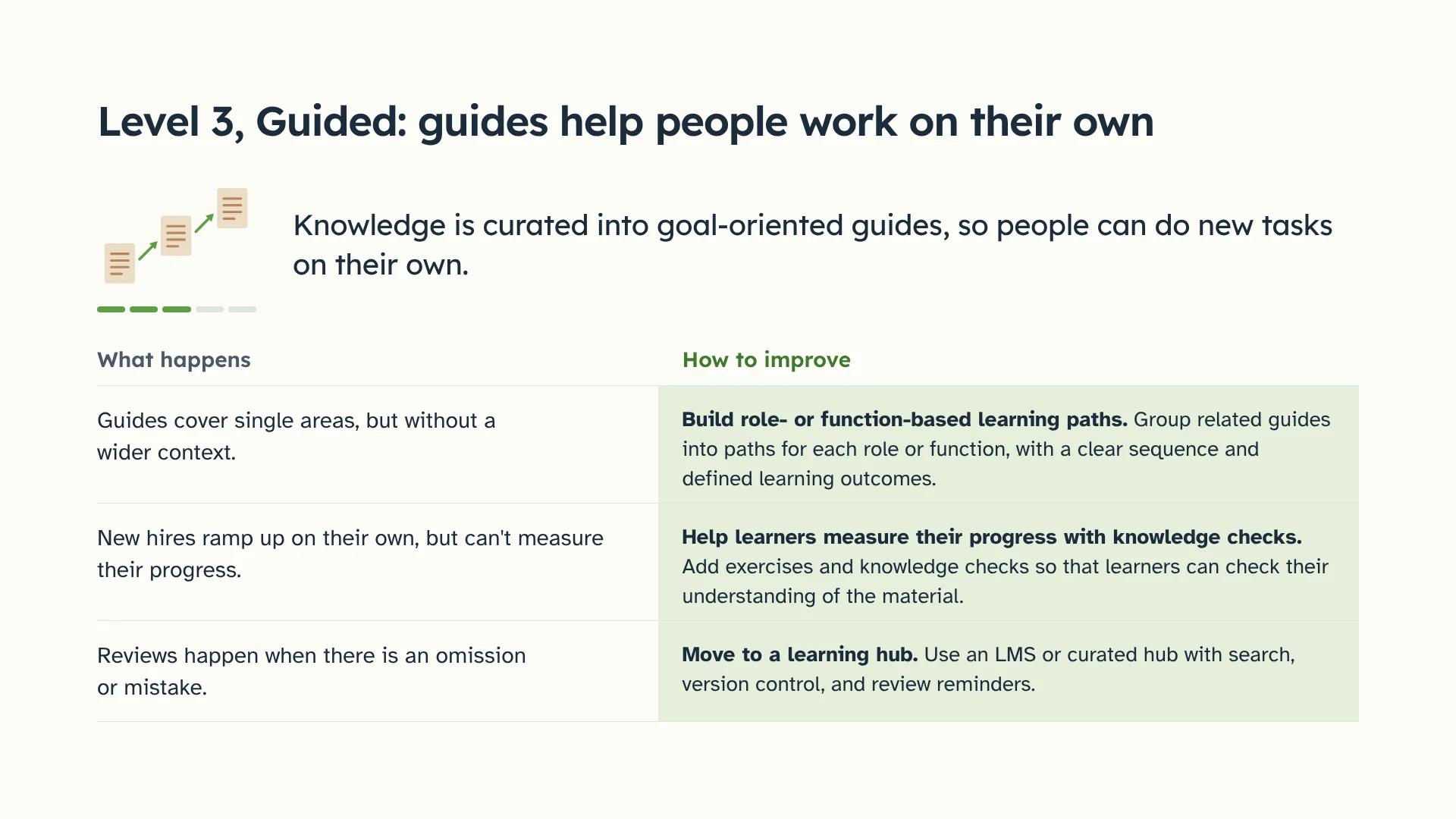
Slide 7: Level 3, Guided: guides help people work on their own. Knowledge is curated into goal-oriented guides, so people can do new tasks on their own. A table pairs what happens with how to improve. Guides cover single areas, but without a wider context: build role- or function-based learning paths. New hires ramp up on their own, but can't measure their progress: add exercises and knowledge checks. Reviews happen when there is an omission or mistake: move to a learning hub with search, version control, and review reminders.
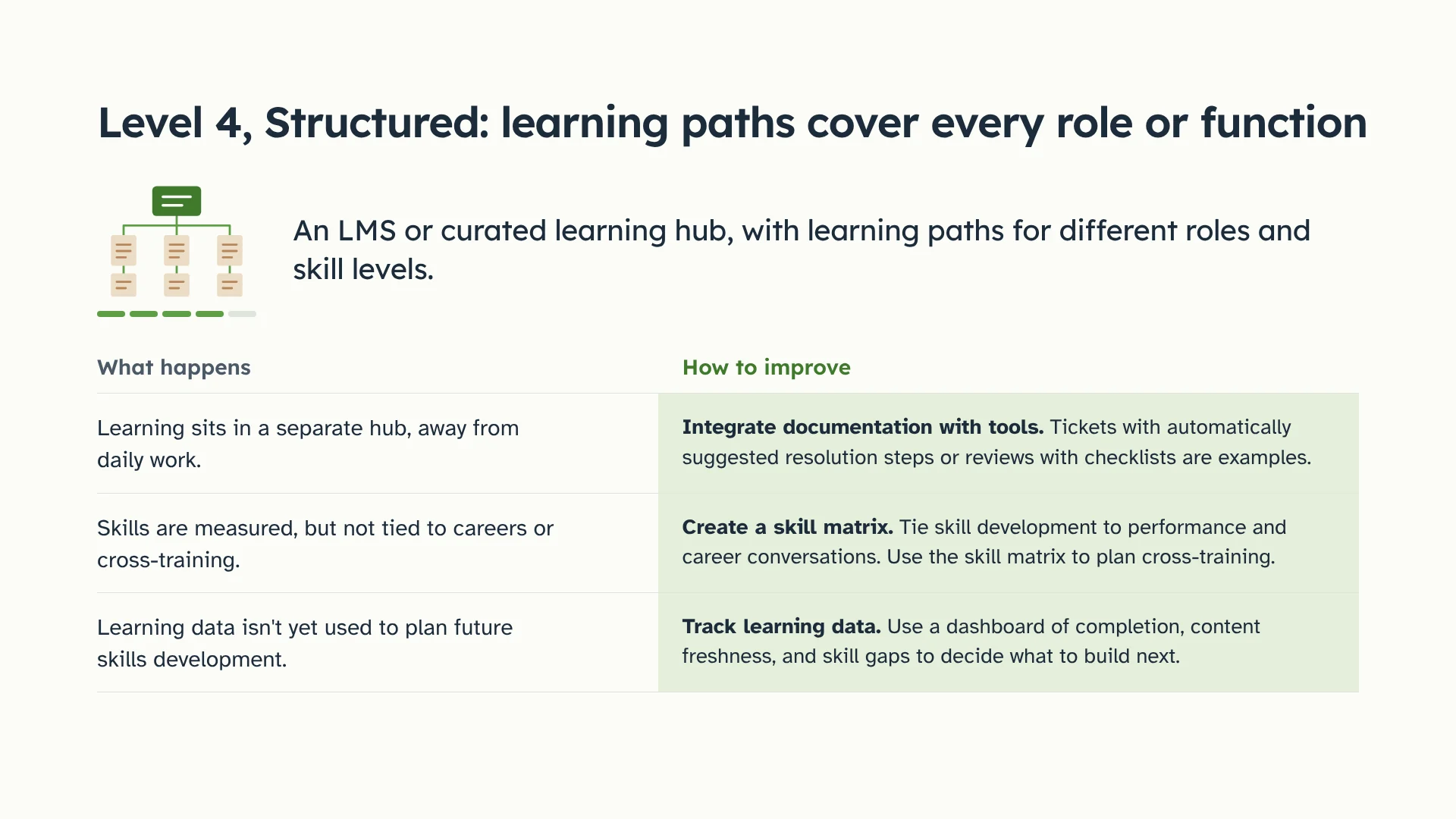
Slide 8: Level 4, Structured: learning paths cover every role or function. An LMS or curated learning hub, with learning paths for different roles and skill levels. A table pairs what happens with how to improve. Learning sits in a separate hub, away from daily work: integrate documentation with tools, such as tickets with suggested resolution steps. Skills are measured, but not tied to careers or cross-training: create a skill matrix. Learning data isn't yet used to plan future skills development: track learning data with a dashboard of completion, content freshness, and skill gaps.
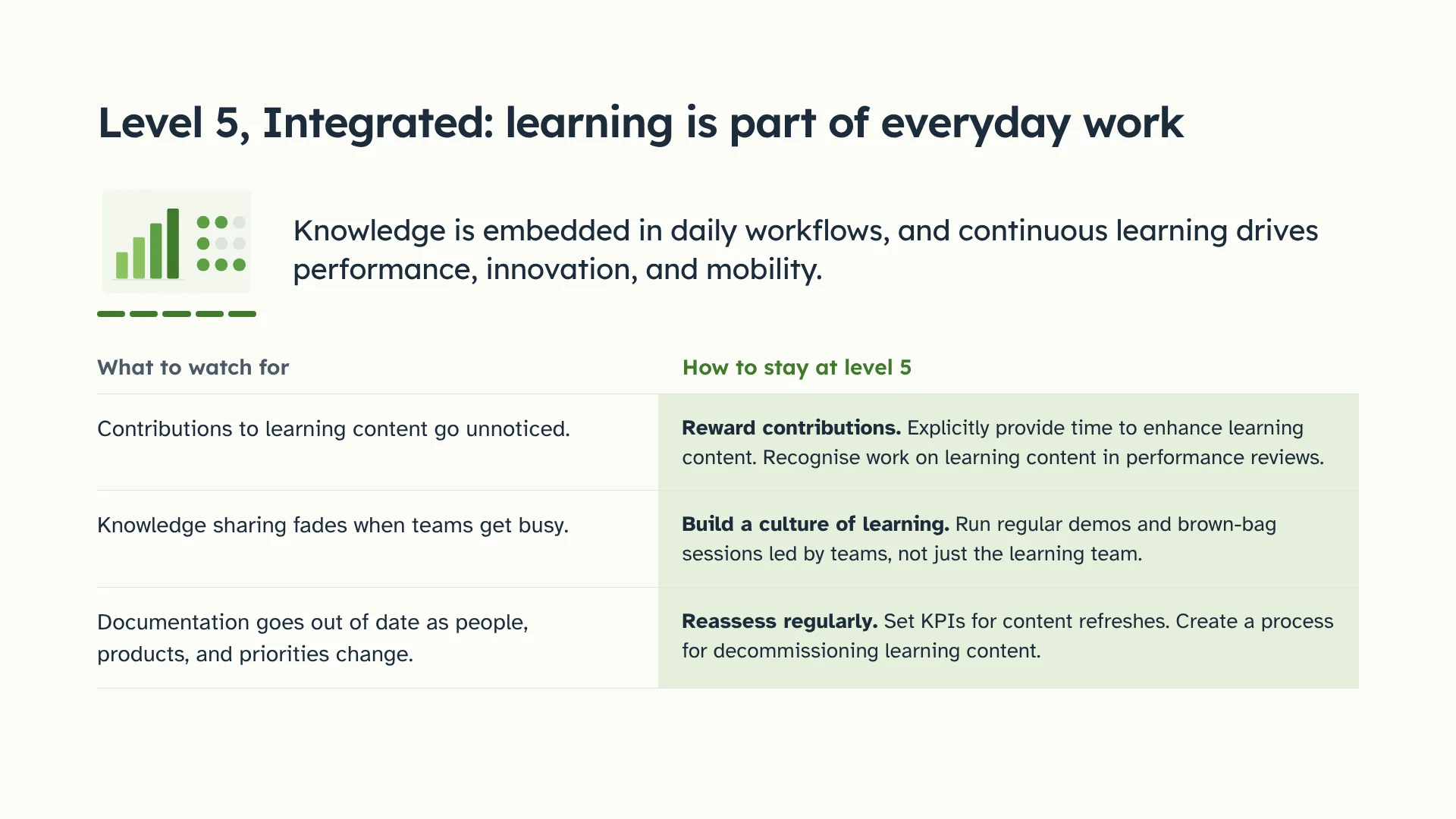
Slide 9: Level 5, Integrated: learning is part of everyday work. Knowledge is embedded in daily workflows, and continuous learning drives performance, innovation, and mobility. A table pairs what to watch for with how to stay at level 5. Contributions to learning content go unnoticed: reward contributions. Knowledge sharing fades when teams get busy: build a culture of learning with regular demos and brown-bag sessions. Documentation goes out of date as people, products, and priorities change: reassess regularly, with KPIs for content refreshes.
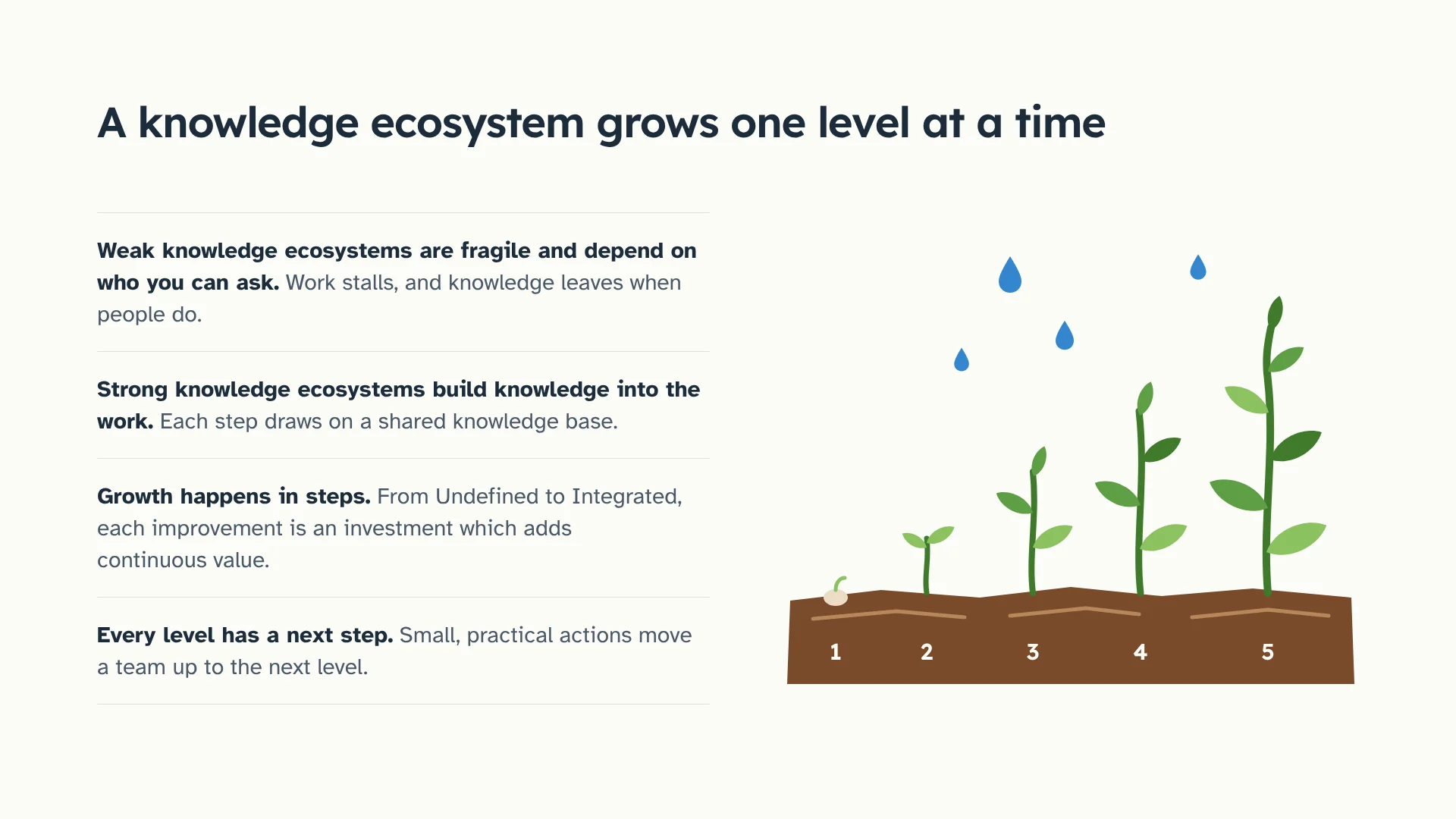
Slide 10: A knowledge ecosystem grows one level at a time. Weak knowledge ecosystems are fragile and depend on who you can ask. Strong knowledge ecosystems build knowledge into the work. Growth happens in steps, from Undefined to Integrated. Every level has a next step. Five plants, numbered 1 to 5, grow taller from left to right.

Knowledge ecosystem is a framework I've built over years of working with companies who want to enable and empower their people with knowledge and skills. Knowledge ecosystem provides context and a roadmap to help managers understand how documentation is performing now, and how it can be better utilised for skills development and knowledge transfer.
FindARescue.ie (opens in a new tab)

Live and growing

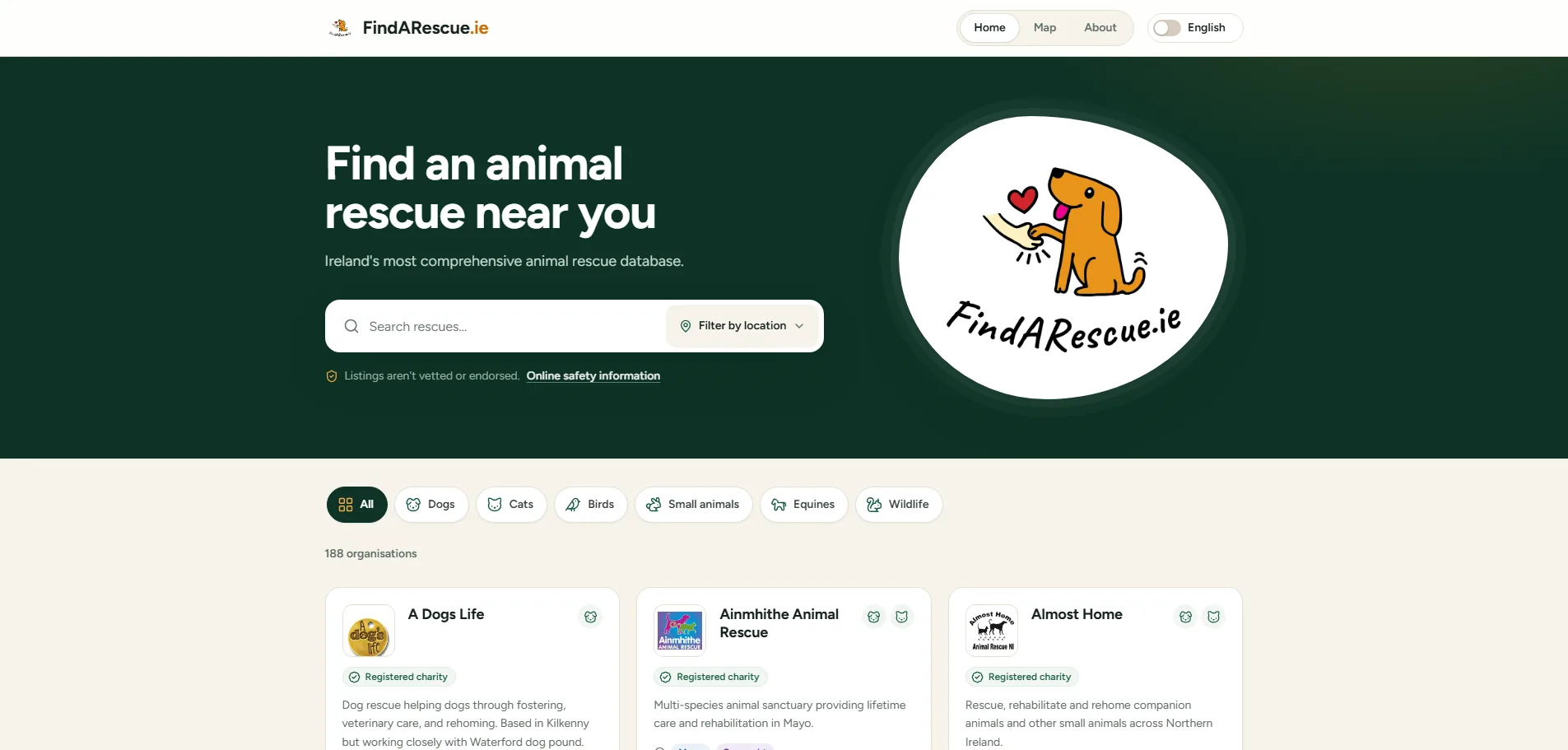
The FindARescue.ie homepage: the heading Find an animal rescue near you, a search bar with a location filter, the site's dog logo, buttons to filter by animal type, and the first rescue listings.

FindARescue.ie (opens in a new tab) is a directory of animal rescue and welfare organisations across Ireland. The goal of FindARescue.ie is to make it as easy as possible for people to find, support, and connect with Irish animal rescue organisations.

Key features:

  • Details of over 180 animal welfare organisations, gathered manually because the publicly available data is too sparse for AI to collect reliably.
  • Keyword search, plus location and animal-type filters.
  • An interactive map to find your nearest rescue.
  • A companion Instagram account (@findarescue.ie) highlighting individual rescues across Ireland.
  • An Irish-language version of the site, translated by volunteers. See the Translation Hub project below.
  • Promotional cards, which can be found on noticeboards around Ireland.

Translation Hub

Live and growing

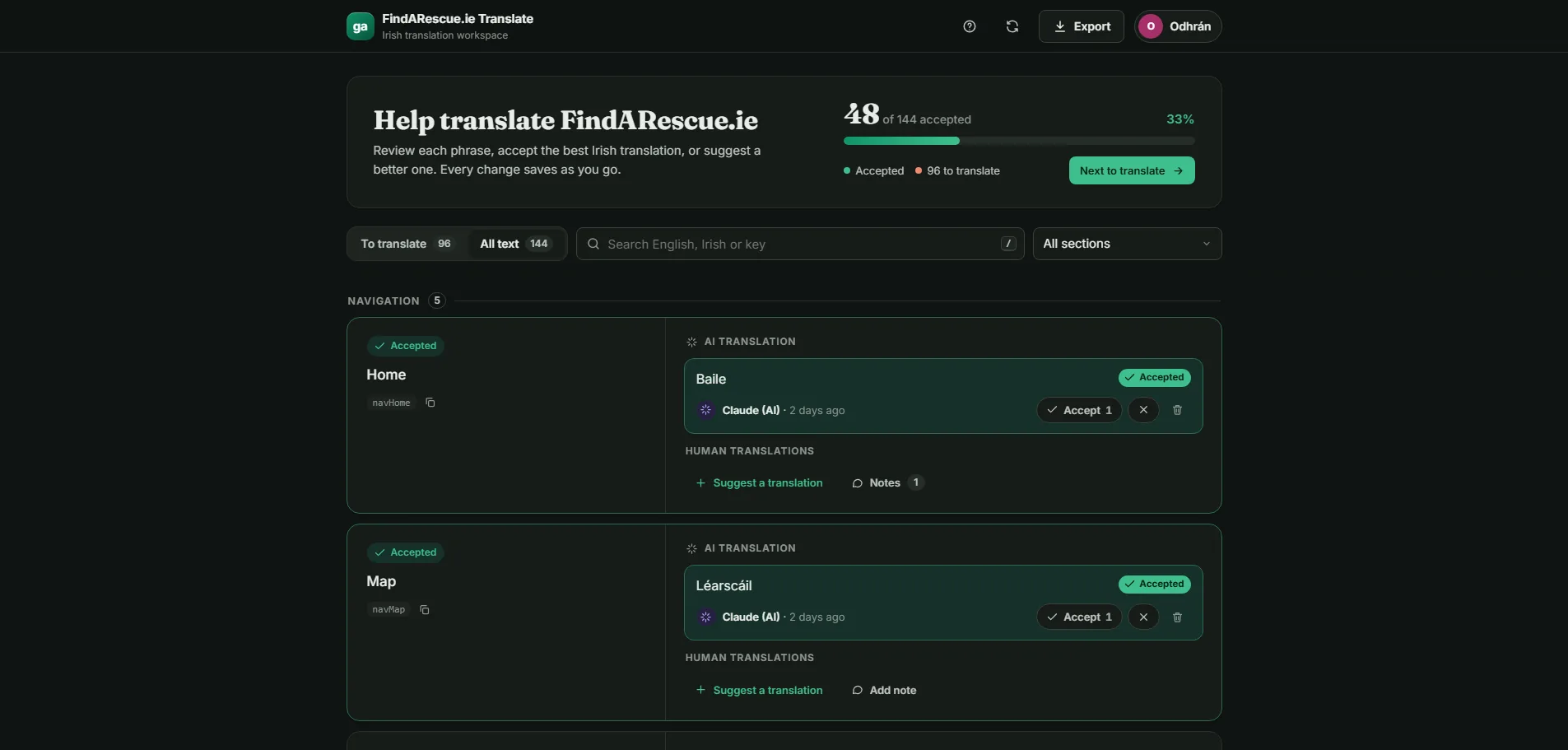
The FindARescue.ie Translate workspace: a progress bar showing 48 of 144 phrases accepted, a search box, and English navigation labels such as Home and Map, each with an accepted AI translation into Irish (Baile, Léarscáil) and options to suggest a translation or add a note.

I built the translation hub as a simple solution for crowdsourcing human translations of written content. The hub uses the translation text file from a website, and enables human translators to view, add, accept, or reject translations. The hub helps with the iterative translation of a website, where the first version uses AI-generated translation, and then human experts can confirm or correct those translations. The example above shows the translation hub used to translate FindARescue.ie into Irish.

Key features:

  • A list of English text for translation, with AI-suggested translations.
  • Add, accept, or reject translations.
  • A note option to discuss translations.
  • Export all accepted translations.

SeoGaeilge.com

Archived

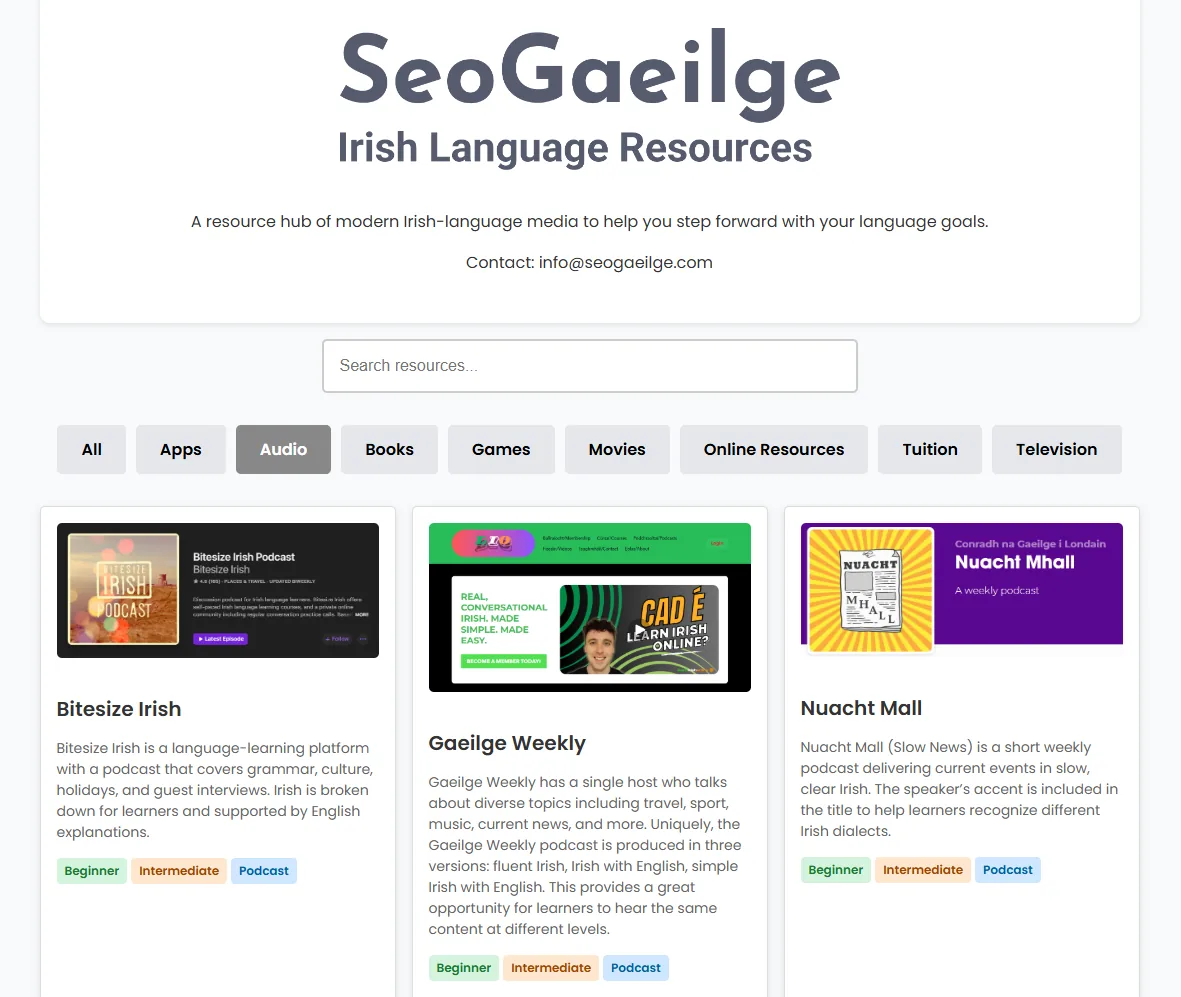
The SeoGaeilge Irish Language Resources site: a search box, category buttons such as Apps, Audio, Books, and Movies, and cards for podcasts including Bitesize Irish, Gaeilge Weekly, and Nuacht Mall, each tagged by level.

SeoGaeilge.com featured a list of modern Irish-language media including books, movies, podcasts, and more. It was aimed at promoting the Irish language and helping Irish learners find resources they enjoy using.